Application Notes
How RADWAG Balances Move Weighing Data
A device-focused look at interfaces, commands, software exports, and record controls from the instrument to the receiving system.
By Radwag USA · July 7, 2026 · 5 min read
Modern weighing is rarely an isolated operation. In many laboratories and production environments, weighing data must move from the balance to a computer, a database, a report, a quality system, or a higher-level business platform. A weighing result may need to support a formulation record, a batch record, a quality-control report, a packaged-goods control process, or a regulated audit. For that reason, communication between weighing instruments and external software is one of the most important technical topics in balance selection and installation.
RADWAG balances and terminals can support data exchange through several layers: physical interfaces, documented communication protocols, RADWAG software, report exports, and memory functions. The correct pathway depends on the balance or terminal model, the installed module, the receiving system, and the records that the organization needs to control.
This distinction is important because external-system communication is not the same as automatic compatibility with every software platform. RADWAG weighing instruments can provide data through documented interfaces, software tools, exports, and external-system communication options. Connection to a specific ERP, laboratory software, database, or custom application depends on the destination system, data mapping, validation requirements, and the integration work performed at the site.
Communication Begins With the Instrument Interface
The first question in any integration project is simple: which interfaces are available on the specific instrument? RADWAG communication options vary by balance, terminal, and series. Selected RADWAG precision balances include interfaces such as RS232, USB, Ethernet, and Wi-Fi, while selected terminals may support industrial and automation-oriented communication options such as digital inputs and outputs, Modbus TCP/IP, RS485, PROFIBUS, PROFINET, or EtherNet/IP depending on configuration.
These examples show why model confirmation matters. RADWAG products do not all include the same communication options, so the correct integration path starts with the model, terminal, accessory module, and installed software.
Protocol-Based Communication
For custom integration, the RADWAG Extended SI communication protocol is one of the key technical topics when the applicable module or protocol support is available. This character communication protocol allows communication between a RADWAG balance and an external device through supported interfaces such as RS232, Ethernet, or Wi-Fi. The protocol uses commands sent from the external device to the balance and responses sent by the balance back to that device.
In practical terms, a protocol-based approach is useful when a site needs controlled data exchange between the balance and custom software, middleware, or an external device. For industrial controllers or automation networks, the exact terminal and protocol must be confirmed, such as Modbus TCP/IP, PROFINET, or EtherNet/IP where those options are supported. The receiving system must be configured to send the correct commands, parse the balance response, handle units and status fields appropriately, and store the result according to the site procedure.
Where the workflow is subject to electronic-record regulations or site quality requirements, this is also where validation becomes important. The interface may transmit the weighing value, but the organization still needs to verify that the complete data path captures the correct record, associates it with the correct user or process step, protects the record from unauthorized change, and preserves required metadata.
RADWAG Software for Data Collection and Exchange
Not every site needs a custom protocol integration. In many cases, RADWAG software provides the practical bridge between balances and computer-based reporting.
E2R Weighing Records can support measurement recording at weighing workstations, buffering of weighings on scales, transmission of weighings to a computer, cooperation with external stockpiling, billing, accounting, and ERP software, and exchange of data with external systems. It can also support export of weighing data in common report and spreadsheet formats. The standard workstation count and larger-system requirements should be confirmed during project planning.
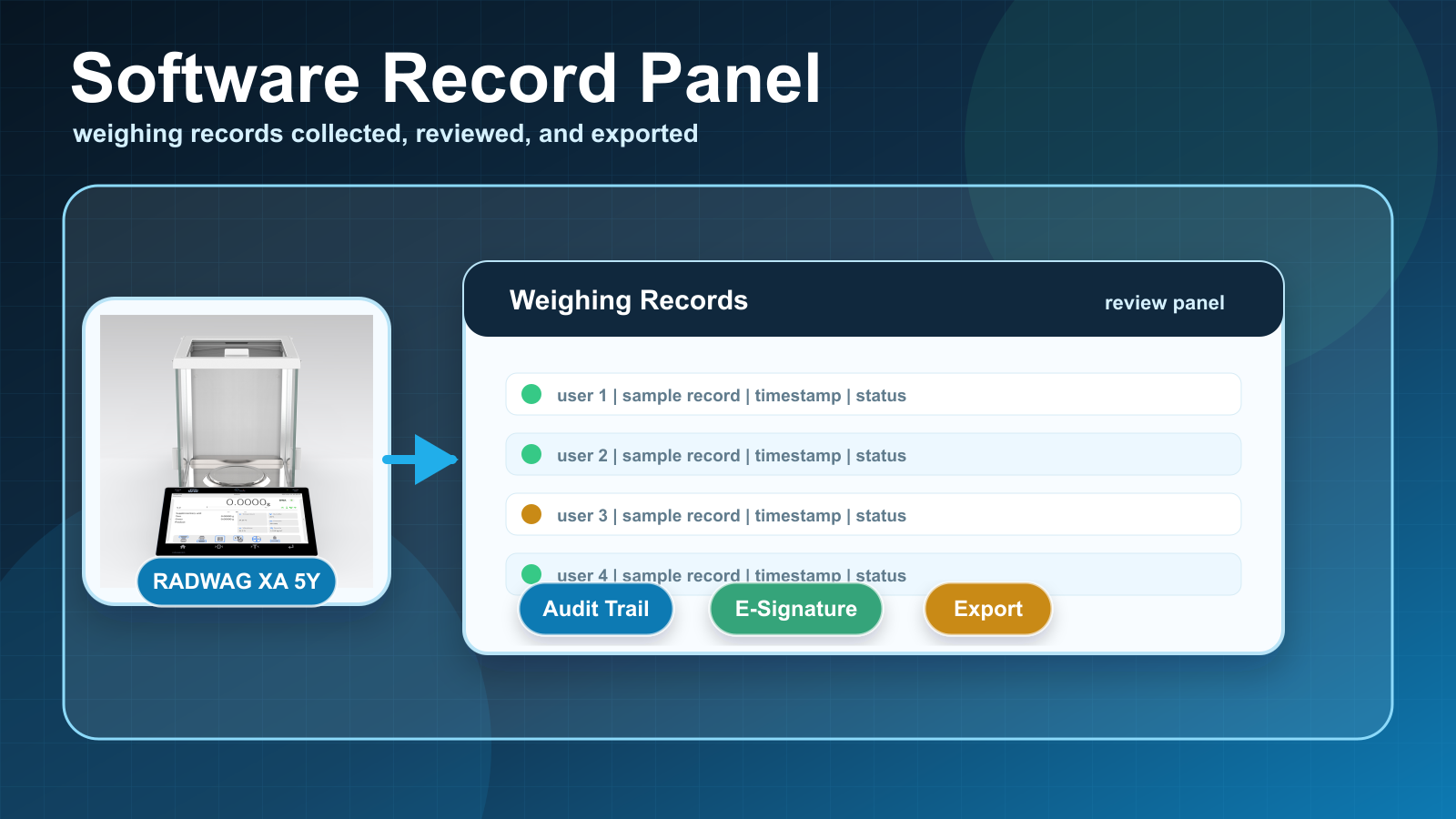
Software-managed weighing records should be treated as part of a controlled data path, not simply as a screen capture or file export.
R-Lab serves a different role. It is used for collecting, presenting, and statistically analyzing measurements sent from RADWAG scales to a computer. It can support multi-scale workflows, present results in tables and graphs, generate reports for measurement series, filter measurement records, and export results for review.
Scale Editor is another more specific software tool. It is used to manage databases in supported RADWAG balances and scales through RS232 or Ethernet communication and can help with export to formats such as Excel, TXT, PDF, and CSV, with CSV import where supported.
For simpler workflows, balances or functions such as USB Free Link can move data from selected RADWAG balances directly into the currently active computer application, such as a spreadsheet, document, or text file. This is direct data transfer into an active computer application, not a full enterprise integration.
Measurement Memory, Alibi Records, and Audit Trail Records
Alibi memory and audit trail functionality serve different purposes and should be treated as separate record tools.
Alibi memory supports stored weighing records. In supported workflows, exported Alibi memory files can be reviewed, filtered, saved, and used for reports. Audit Trail records are different: when the applicable 21 CFR Part 11 or Audit Trail module or software configuration is used, they can support review of user activity, setting changes, database-record changes, signatures, login events, and other controlled actions depending on the instrument and software configuration.
In regulated or quality-controlled environments, these tools need to be described with care. Alibi records can support review of weighing measurements. Audit trail records can support review of user activity and changes. Neither feature makes an entire process compliant by itself. A controlled record system depends on the instrument, software configuration, users, procedures, validation, record retention, and review process.
Practical Integration Checklist
A technical integration project should begin with a controlled checklist. The site confirms the exact balance or terminal model, identifies installed interfaces and optional modules, and defines whether the process needs direct printout, file export, database exchange, protocol communication, or software-managed record collection.
The integration team then defines the receiving system and required data fields. Sample records are tested for required fields available from the selected instrument or software, such as mass value, unit, timestamp, user, product, tare, status, and any required batch or lot information. Weighing records, Alibi records, and audit trail records are separated in the data model. User access, backup, retention, and review procedures are documented. When the process is used in a regulated environment, the complete data path is validated according to the site's quality system.
RADWAG communication tools can support a wide range of weighing-data workflows. The strongest integrations are built when the instrument capability, receiving system, software role, and quality requirements are defined before installation.